A camel caravan crosses orange dunes under a cloudless blue sky.

For Android · Works with Immich

Develop
every image.

The shot kept the moment. The rest happens here: light, color and detail, adjusted on your phone, without ever touching the original.

Photo data: DSCF7951 · FUJIFILM X-T30 · 55 mm · ƒ/4 · 1/500 s · ISO 1600

Immich

Your Immich library,
now with a darkroom.

Immich keeps your photos on your own server. IMAGO opens that same library on your phone and gives it what a gallery doesn’t have — light, color, curves, masks, recipes — then sends the result back, stacked on the original.

An address and a key.
That’s all it takes to connect: the server’s URL and an API key from your Immich account. Immich 2.6.0 or later.
At home and away.
One library can have several addresses — the one at home and the one outside. The app uses whichever answers.
Back where it belongs.
Exports go back to the server at full resolution, stacked on the original, so the timeline doesn’t fill up with copies.
The original stays as it was.
The edit is kept as a recipe. The file on your server is never rewritten.

Immichyour server

An illustration: a photo leaves the grid of an Immich server, is developed on the phone with an IMAGO recipe, and returns to the server stacked on the original.

  1. 01On your server
  2. 02Developed on the phone
  3. 03Back, stacked on the original

From the shot to the image,
without leaving your phone.

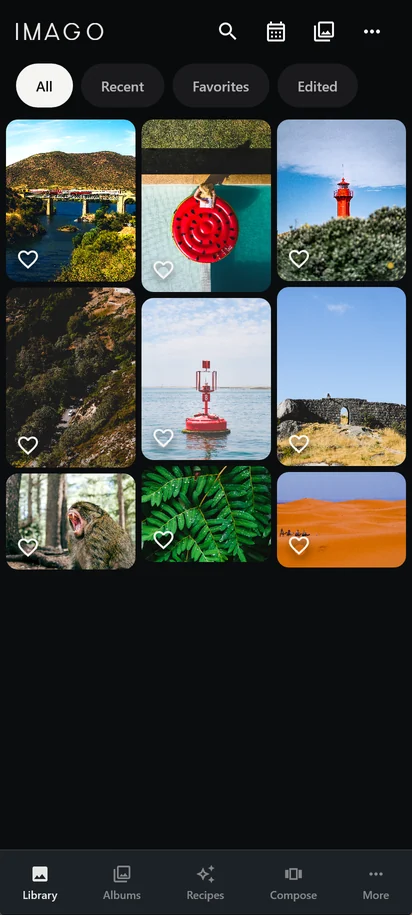
  1. The IMAGO library: a grid of photos with the All, Recent, Favorites and Edited filters, and the navigation bar at the bottom.
    01

    The photo arrives.

    The library opens where your photos already are: on the Immich server you keep at home, or in your phone’s gallery. By date, by album, favorites or already edited.

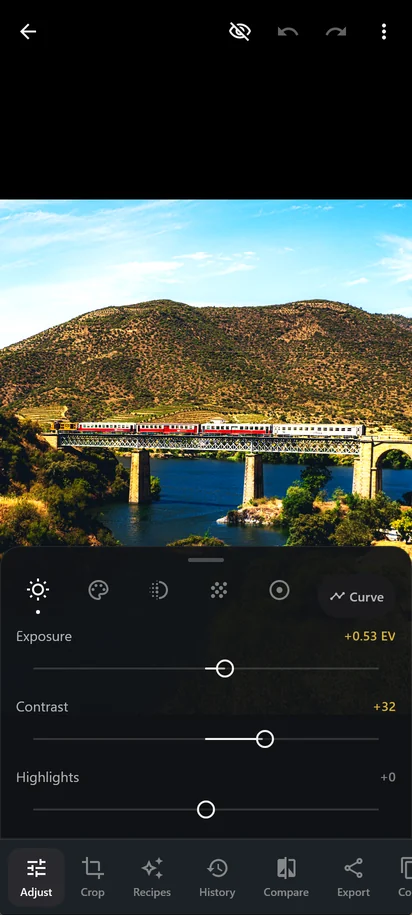
  2. The IMAGO editor with the Light panel open: Exposure at +0.53 EV and Contrast at +32, with the changed values in gold.
    02

    It’s developed.

    Light, color, detail, effects and masks, in a panel that keeps the photo in view. Every adjustment is stored on its own, like a recipe: the original file is never rewritten.

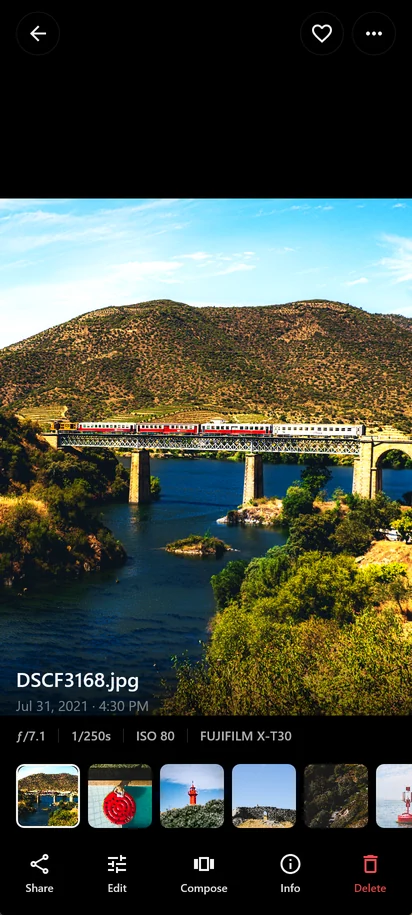
  3. The train photo already developed, on the detail screen, with the exposure data and the Share, Edit, Compose and Info actions.
    03

    It moves on.

    It goes out at full resolution to the gallery, or back to Immich, stacked on the original. Or into a composition for stories and posts.

Try
the gesture.

This is the IMAGO editor, rebuilt for the browser with the app’s names, ranges and gestures. The recipe values are the ones that ship with it.

  • Drag a value. The panel fades away, leaving the photo, the adjustment’s name and a ruler.
  • Double-tap a slider. It goes back to neutral.
  • Press and hold the photo. You see the original until you let go.
Photo

In the browser, the development is a WebGL approximation with the same order of operations. In the app it runs on the phone’s GPU, at 16 bits per channel, and the export comes out exactly as the screen shows it.

Everything developing asks for.

The tools of a professional editor, applied in the right order: exposure in linear light, contrast and curve in perceptual space, color by band, detail computed from each pixel’s neighborhood.

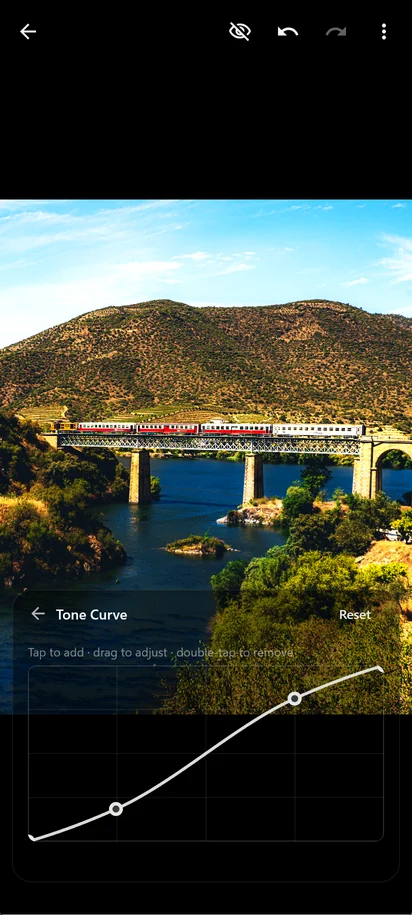
  1. The tone curve open over the photo, with two points drawing an S curve.
    04A

    Tone curve

    Up to sixteen points. The curve passes through every one of them without overshooting.

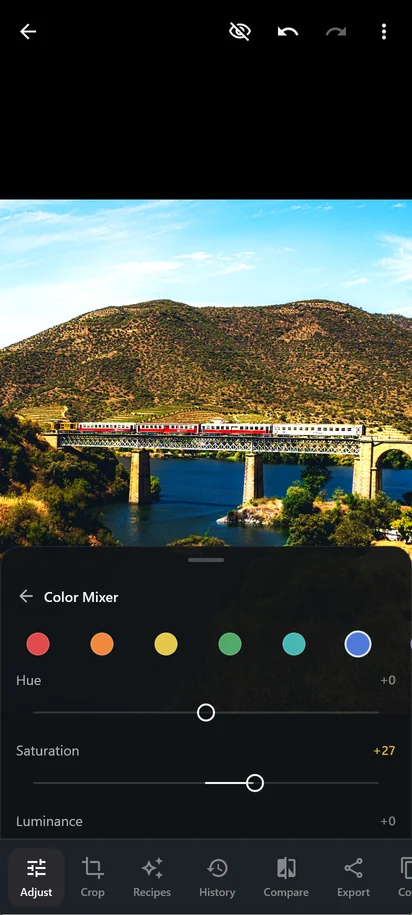
  2. The Color Mixer panel, with eight color circles and the Hue, Saturation and Luminance sliders.
    05A

    Color mixer

    Hue, saturation and luminance in eight bands, from red to magenta.

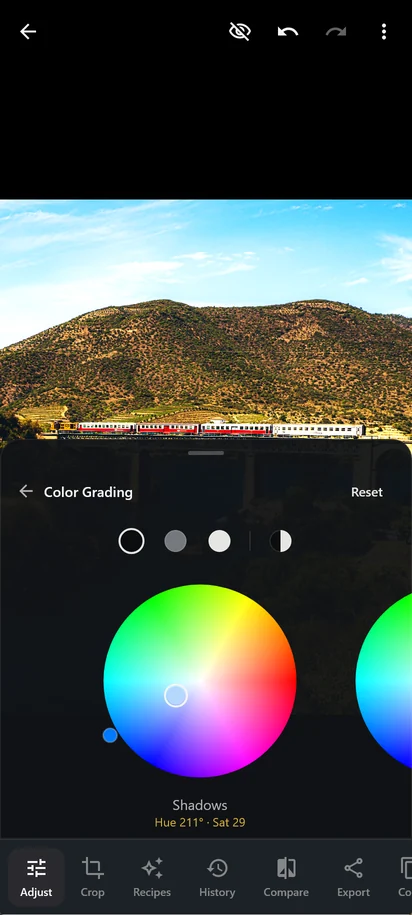
  3. Color grading: a color wheel for the shadows, with the handle pulled toward blue, Hue 211° and Saturation 29.
    06A

    Color grading

    Four wheels — shadows, midtones, highlights and global — with blending and balance.

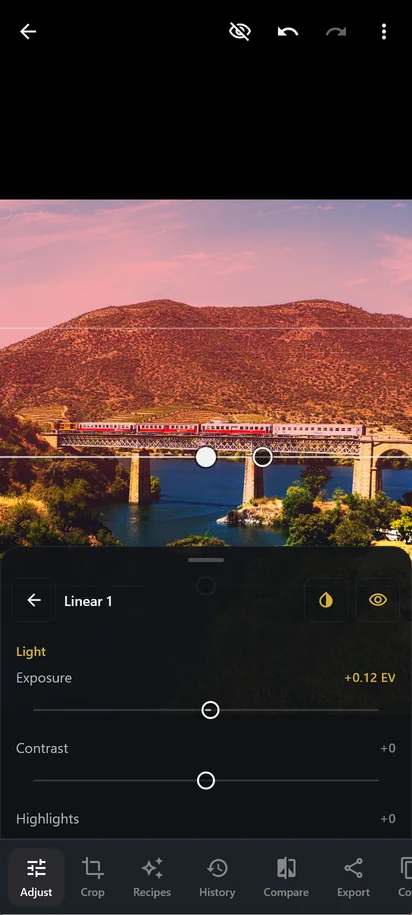
  4. A linear mask over the sky, with the covered area painted red and the mask’s light adjustments below.
    07A

    Masks

    Linear or radial gradient, with thirteen adjustments that only touch the chosen region.

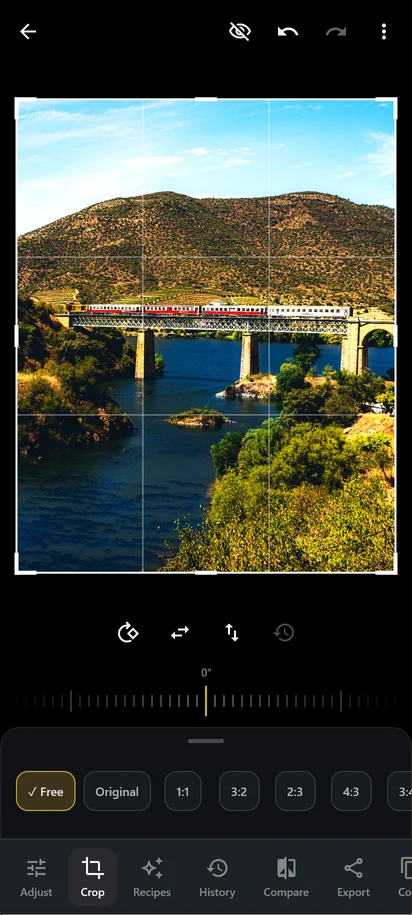
  5. Crop mode, with the rule-of-thirds grid, the straighten ruler at 0° and the Free, Original, 1:1, 3:2, 2:3 and 4:3 aspect ratios.
    08A

    Crop and straighten

    Free or fixed aspect ratio, fine rotation up to 45° beneath the frame, rotate and flip.

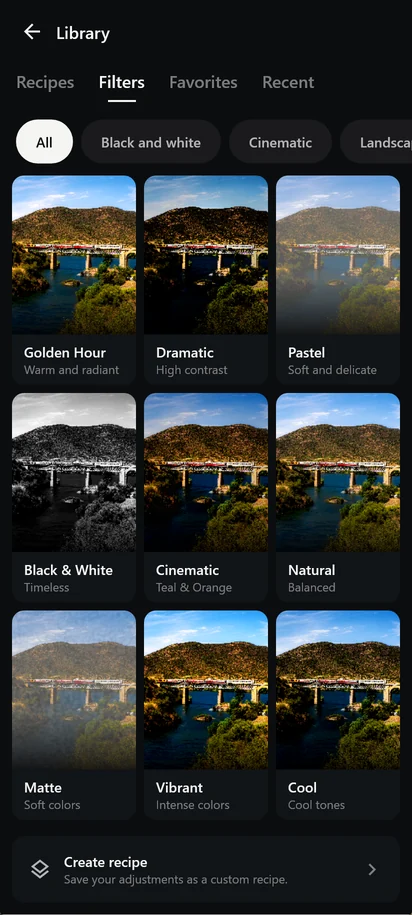
  6. The recipe library, with Golden Hour, Dramatic, Pastel, Black & White, Cinematic, Natural, Matte, Vibrant and Cool previewed on the same photo.
    09A

    Recipes

    Nine starting points, your own recipes, and copy and paste adjustments between photos.

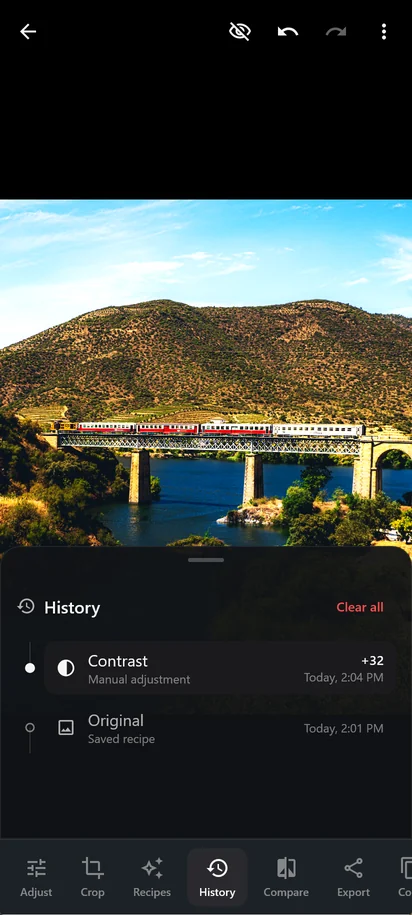
  7. The History panel, with the list of editing steps and the time of each.
    10A

    History

    Every step goes on a list. Tap one and the photo goes back to that moment.

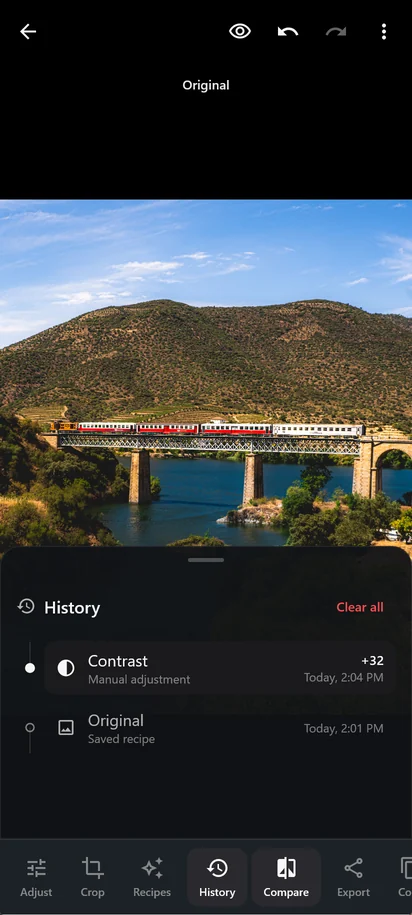
  8. Compare mode, with the Original label over the unedited photo.
    11A

    Compare

    The original in one tap, or while you hold the photo.

Light
Exposure up to ±5 EV, contrast, highlights, shadows, whites and blacks.
Color
Temperature, tint, vibrance and saturation.
Detail
Texture, clarity and dehaze.
Effects
Vignette with midpoint, roundness and feather. Grain with size and roughness.

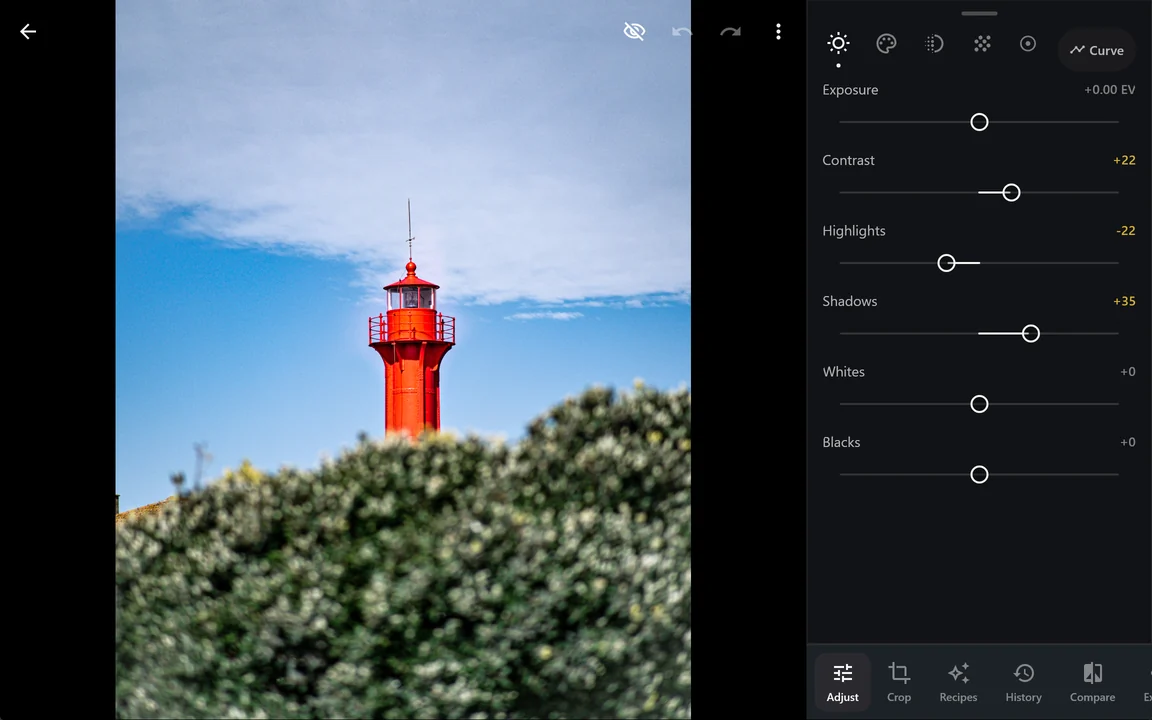
On a tablet, the panel moves to the side.

From 840 dp wide, the editor opens the adjustments in a column on the right and the photo gets the rest of the screen. It works on tablets, in split screen and on a phone turned sideways.

The editor on a wide screen: the red lighthouse on the left and, in a column on the right, the light adjustments with Contrast +22, Highlights -22 and Shadows +35.
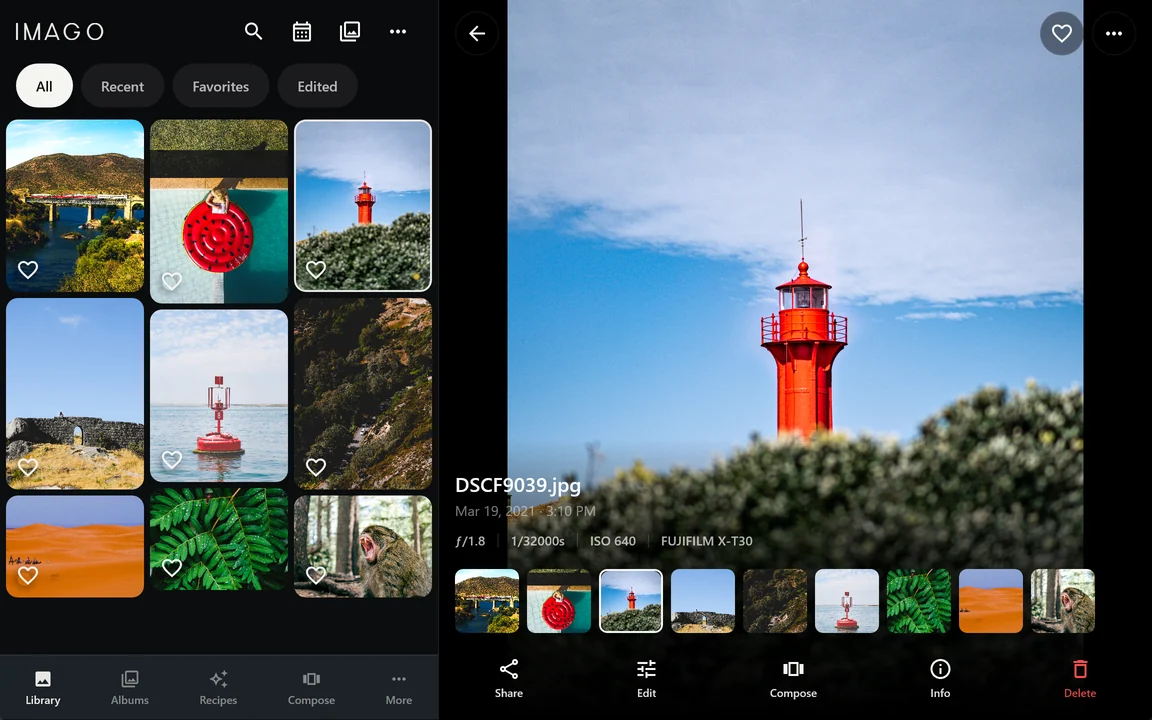
The library on a wide screen: the photo grid on the left and the lighthouse detail on the right, with the exposure data and the thumbnail strip.

From photos to a post.

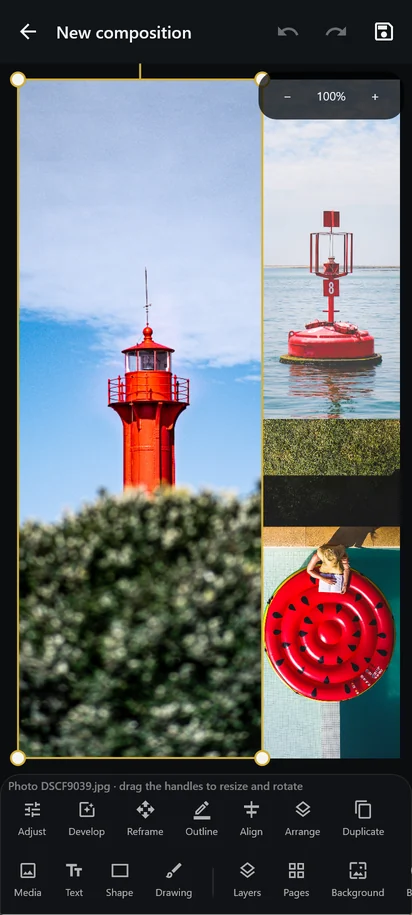
The composer puts photos from your library into stories, posts and continuous carousels, with text, shapes and freehand drawing.

Your brand’s colors and fonts are kept in a kit, at hand in any composition. The sliders and gestures are the editor’s. Each page comes out as JPEG or PNG.

The composer with three photos in a 9:16 story and the Media, Text, Shape, Drawing, Layers, Pages and Background tools.

With or without
a server.

With your phone’s photos

No server at all. The app shows the device’s gallery and edits it the same way, with the same recipes.

On more than one device

With an IMAGO account, the same photo is recognized on another device by its content, and the edit continues where it left off. If two devices change it offline, no version is lost: the other one stays in the history.

No pixel leaves your phone.

Processing is local.
Every adjustment is computed on the device’s GPU. Your photos don’t pass through our servers.
Your keys stay with you.
The Immich API key and address stay encrypted on the device where you typed them, and never go to the account.
The account is optional.
Without an account, nothing leaves the device. With one, recipes, presets, templates, the brand kit and compositions sync. Photos don’t.
No ads, no tracking.
The app shows no advertising and ships no analytics tools.

Read the privacy policy

Coming soon to Google Play.

IMAGO isn’t published yet. When it is, the link will appear here.

System
Android 12 or later
Graphics
OpenGL ES 3.1
Server
Immich 2.6.0 or later, if you want to connect one
Screens
Phone and tablet